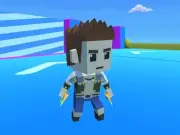
Immerse yourself in the high-octane world of Berry Dash 3D Runner, a thrilling fast-paced arcade action title designed to test your reflexes, quick decision-making, and tactical spatial management. Navigating through brightly colored 3D courses, players guide an energetic character through intricate obstacle courses filled with rolling boulders, spinning blades, and unpredictable trap doors. Your primary mission is to gather ripe berries scattered along the pathway while maintaining top speed and navigating tricky terrain.
The gameplay introduces dynamic item interaction mechanics alongside traditional runner controls. Beyond simply running and dodging, you can grab berries, hold items to shield against incoming hazards, or hurl gathered fruit at switches to open gated checkpoints. Precision timing is critical when deciding whether to carry heavy berry bundles for extra end-level points or drop them instantly to regain your baseline agility when racing past fast-moving traps.
As you progress through increasingly complex environments—ranging from lush forest glades to mechanical factory floors—the pacing accelerates rapidly. Special power-ups like speed boosters, magnet rings, and temporary invincibility shields appear along high-risk paths, rewarding daring runners who take dangerous routes to maximize their stage rewards and climb competitive leaderboards.
To secure victory on challenging stages, master the balance between speed and inventory weight. When approaching tight parkour sections, narrow bridges, or rapid obstacle sequences, drop heavy items early using quick keyboard inputs to maintain optimal movement responsiveness. Reserve thrown berries for hitting distant pressure plates to deactivate hazard fields before your character arrives.
Control character movement on PC using the WASD Keys or Arrow Keys. Press the Right Mouse Button to pick up berries and objects, and press the Left Mouse Button to throw carried items forward. Press the Q Key to instantly drop held items. On Touchscreen Devices, use the on-screen virtual joystick to move and tap action buttons to grab, toss, or drop objects. Reach the exit portal safely.
Berry Dash 3D Runner delivers an exciting Arcade Games experience designed for smooth gameplay across Desktop, Mobile, and Tablet browsers. Enjoy responsive controls, high frame-rate performance, and instant session loading with zero installation required.
Yes, Berry Dash 3D Runner is 100% free to play directly in your browser on Playing.co.in. No download, registration, or payment is required.
Yes! Berry Dash 3D Runner is built using HTML5 technology and runs seamlessly across smartphones, tablets, and desktop computers.
Watch gameplay walkthrough, learn strategies, and master every level of Berry Dash 3D Runner.

3D Gem Dash Adventure

3D Stacky Dash Craft Run
3D Survival Arena: Red Light Dash

Acrobat Dash: 2D Physics Swing

Aero Dash: Infinite Sky Runner

Aero Glide Reflex Dash
Aero Polygon Dash

Alpine Dash: Snowy Peak Runner
Among Dash

Apex Boss Runner Combat Dash

Apocalyptic Dash: Disaster Run

Aquatic Evolution: Ocean Survival Dash