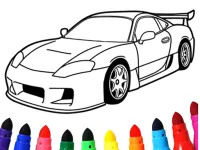
Step into an enchanting digital studio tailored specifically for young artists and curious minds seeking a joyful creative outlet. Junior Creative Color Studio delivers an interactive educational adventure where imagination seamlessly intersects with fundamental learning skills. Children can select from a wide array of delightful illustrations depicting animals, vehicles, landscapes, and whimsical characters. The game creates a safe, engaging digital playground where young learners express their artistic flair while building confidence, improving motor coordination, and expanding their visual recognition skills in an intuitive environment.
The core gameplay centers around three distinct and engaging interactive modes designed to adapt to varying skill levels. In standard palette mode, players freely choose vibrant colors to fill distinct outlines with instant precision. For those seeking early academic development, the color-by-number and color-by-letter options guide children toward recognizing essential symbols while completing gorgeous artwork. Additionally, early arithmetic modes turn basic counting and addition equations into revealing color codes, encouraging kids to solve simple logic challenges to unlock hidden shades and complete masterworks.
To maximize fun and learning progress, encourage children to start with the simpler single-digit numeric challenges before advancing toward word-based or mathematical color puzzles. Taking time to explore different palette combinations boosts creative decision-making, while reviewing completed pictures in the virtual gallery reinforces a strong sense of accomplishment. Parents and educators can guide children through the math-infused stages to make foundational arithmetic feel like a rewarding game rather than a traditional study exercise.
Navigate the canvas using your computer mouse or capacitive touch screen. Left-click or tap on the desired paint bucket to select your target color, then click or tap directly onto an outlined image section to fill it cleanly. Select numeric or algebraic game modes via the primary menu. Your ultimate objective is to accurately shade every numbered section to complete colorful masterpieces and unlock higher difficulty stages.
Junior Creative Color Studio delivers an exciting Clicker Games experience designed for smooth gameplay across Desktop, Mobile, and Tablet browsers. Enjoy responsive controls, high frame-rate performance, and instant session loading with zero installation required.
Yes, Junior Creative Color Studio is 100% free to play directly in your browser on Playing.co.in. No download, registration, or payment is required.
Yes! Junior Creative Color Studio is built using HTML5 technology and runs seamlessly across smartphones, tablets, and desktop computers.
Watch gameplay walkthrough, learn strategies, and master every level of Junior Creative Color Studio.

AI Creature Fusion Lab

Animal Cascade: Cozy Creature Merge
Animal Fusion AI Hybrid Creator

Animal Ice Cream Shop

Animal Ice Cream Shop - Make Sweet Frozen Desserts
Animate.Space: Create Animated GIF!

Anime Avatar Creator

Apex Creature: Evolution Royale 3D
Arithmetic Dash: Junior Math Quest

ASMR Cake Creator

Automotive World Creative Coloring Studio

Avatoon Avatar Maker, Creator