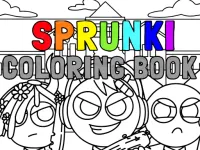
Unleash your artistic potential with Sprunki Creative Canvas Studio, an exceptionally soothing and interactive digital coloring experience. Designed to provide a tranquil escape from daily routines, this title invites players of all ages to bring vibrant life to a rich collection of unique Sprunki characters and whimsical background illustrations. Whether you are looking to refine your creative eye or simply relax after a busy day, this canvas studio offers a satisfying artistic playground.
The game features an extensive color palette containing rich hues, soft pastels, neon accents, and shimmering gradient tools. Players can select from a wide variety of line art templates, ranging from playful individual character portraits to intricate, detailed group scenes. The user-friendly interface allows for seamless bucket fills, precise brush strokes, and smooth zooming features, ensuring that both casual doodlers and detail-oriented artists can produce stunning masterpieces effortlessly.
Beyond basic coloring, the game incorporates fun custom stickers, pattern fills, and texture effects that add unique personality to your artwork. As you complete drawings, you can save your finished creations to your personal in-game gallery, build an impressive portfolio, and unlock premium illustration sets and exclusive color swatches to expand your creative options.
For the best visual outcomes, try pairing contrasting colors to highlight key character features and utilize shading tools to add depth to your artwork. Take advantage of the zoom function when filling in smaller canvas details. Relax, take your time, and enjoy the therapeutic magic of transforming plain outlines into vivid works of art.
Navigate the canvas using your mouse cursor or touchscreen display. Left-click or tap to select colors from the palette bar, then apply them to designated regions of the line art drawing. Use scroll wheel or pinch gestures to zoom in for detailed work. Toggle between paint bucket, brush, and eraser tools to complete your custom artistic design.
Sprunki Creative Canvas Studio delivers an exciting Hypercasual Games experience designed for smooth gameplay across Desktop, Mobile, and Tablet browsers. Enjoy responsive controls, high frame-rate performance, and instant session loading with zero installation required.
Yes, Sprunki Creative Canvas Studio is 100% free to play directly in your browser on Playing.co.in. No download, registration, or payment is required.
Yes! Sprunki Creative Canvas Studio is built using HTML5 technology and runs seamlessly across smartphones, tablets, and desktop computers.
Watch gameplay walkthrough, learn strategies, and master every level of Sprunki Creative Canvas Studio.

AI Creature Fusion Lab

Animal Cascade: Cozy Creature Merge
Animal Fusion AI Hybrid Creator

Animal Ice Cream Shop

Animal Ice Cream Shop - Make Sweet Frozen Desserts
Animate.Space: Create Animated GIF!

Anime Avatar Creator

Apex Creature: Evolution Royale 3D

ASMR Cake Creator

Automotive World Creative Coloring Studio

Avatoon Avatar Maker, Creator

Ayla's Dream Town: Custom Avatar Creator