Unleash your artistic imagination in a relaxing digital coloring studio designed to provide endless creative fun for artists of all ages. This engaging art simulation features a rich gallery of twelve unique line art illustrations waiting to be transformed with vibrant hues. Whether you want to unwind after a long day or express your inner designer, this game offers an accessible platform for peaceful artistic creation.
The game provides a comprehensive digital art kit equipped with fifteen vibrant felt-tip pen colors, ranging from warm radiant shades to cool soothing tones. Players can easily customize their brush stroke size using a selectable series of variable-diameter brush tips displayed on the user interface. This feature allows you to paint broad background fills smoothly or carefully detail intricate outline sections without overlapping lines.
To create stunning digital masterpieces, start by filling larger background elements with soft base shades before adding bold accent colors to central figures. Experiment with contrasting color combinations to make your artwork pop off the screen. If you make a design error, use the convenient undo tool or recolor sections with new shades. Once satisfied, save high-resolution snapshots of your completed artwork directly to your device.
Enjoy a stress-free creative space free from timers, competitive pressure, or strict rules. Take your time exploring different color palettes, practicing shading techniques, and experimenting with unique brush sizes. Revisit your favorite illustrations anytime to re-color them with fresh artistic themes and share your custom creations with friends and family.
Select your desired color from the fifteen felt-tip pen options located on the toolbar using your mouse click or touchscreen tap. Adjust your drawing tip size by selecting one of the brush diameter circles on the left side of the screen. Click or drag across the picture areas to apply color. Your objective is to color all twelve artistic pages and save your finished artwork.
Vibrant Canvas Studio: Creative Coloring delivers an exciting Adventure Games experience designed for smooth gameplay across Desktop, Mobile, and Tablet browsers. Enjoy responsive controls, high frame-rate performance, and instant session loading with zero installation required.
Yes, Vibrant Canvas Studio: Creative Coloring is 100% free to play directly in your browser on Playing.co.in. No download, registration, or payment is required.
Yes! Vibrant Canvas Studio: Creative Coloring is built using HTML5 technology and runs seamlessly across smartphones, tablets, and desktop computers.
Watch gameplay walkthrough, learn strategies, and master every level of Vibrant Canvas Studio: Creative Coloring.

Canvas Quest: The Endless Loop Journey

Cartoon Family Creative Canvas

Coloring Canvas: Digital Art Studio
Creative Canvas ASMR Coloring
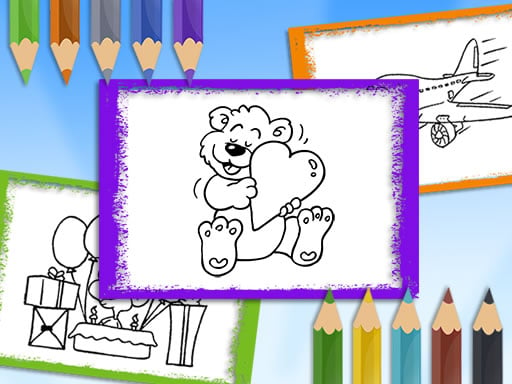
Creative Canvas Studio

Creative Pet Coloring Book & Studio Canvas
Enchanted Royal Canvas Coloring
Fashion Icon Creative Canvas

Heavy Machinery Art Studio: Builders Coloring Canvas
Heroic Color Studio: Comic Squad Canvas

Holiday Express Art Canvas

Junior Artist Expressive Canvas